 YOU ARE TITAN

A You Are Titan app for Mac
+Spacio
See what fills your disk, free up iCloud space without losing anything and find duplicates. +Spacio shows you; you decide.
macOS 14+Apple Silicon · IntelEnglish · SpanishNo subscription
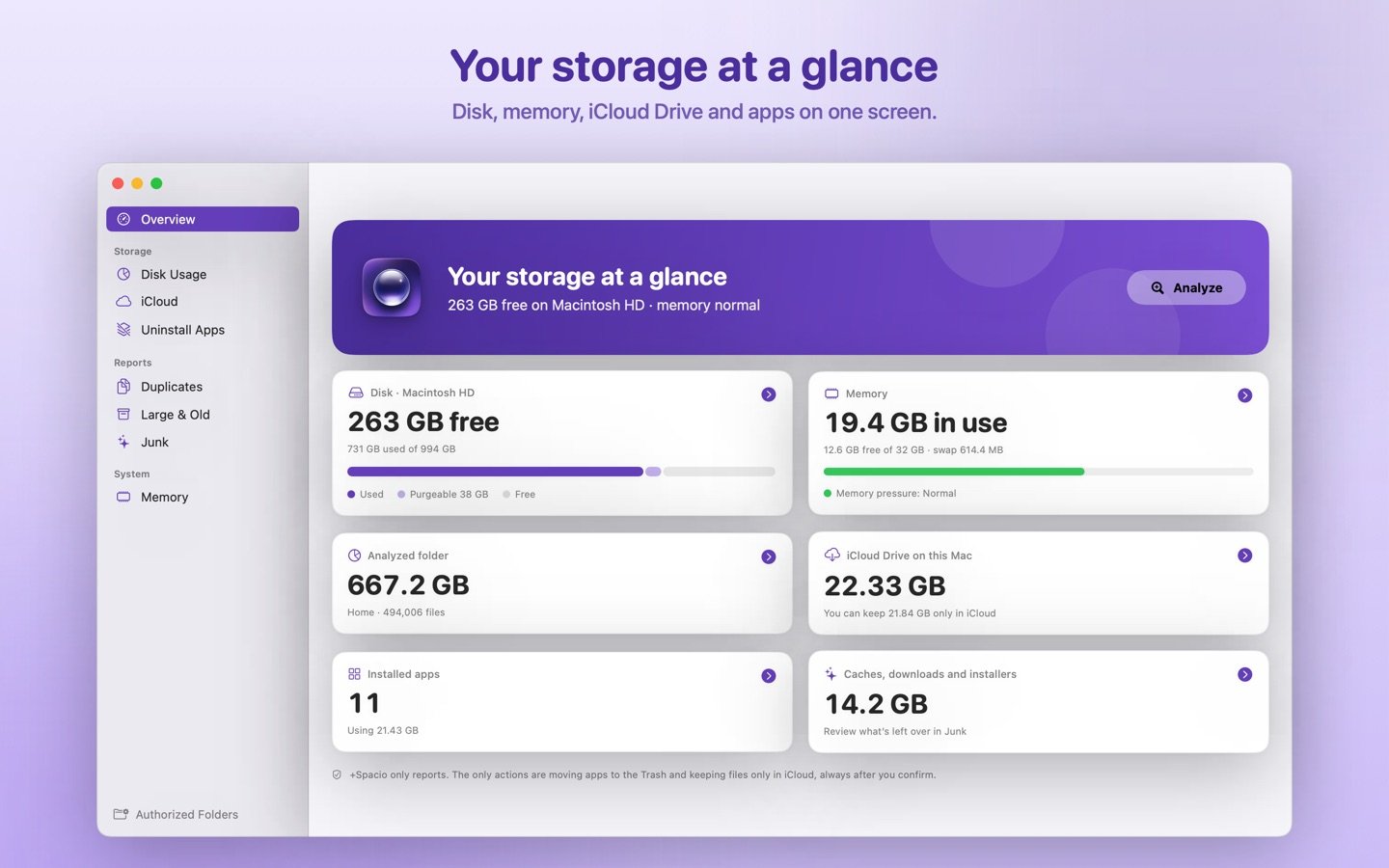
It never deletes your documents
+Spacio reports. The only actions it takes are reversible: moving an app to the Trash (you can restore it) and keeping files only in iCloud (they stay in your iCloud Drive and download again when you open them). And it always asks first.
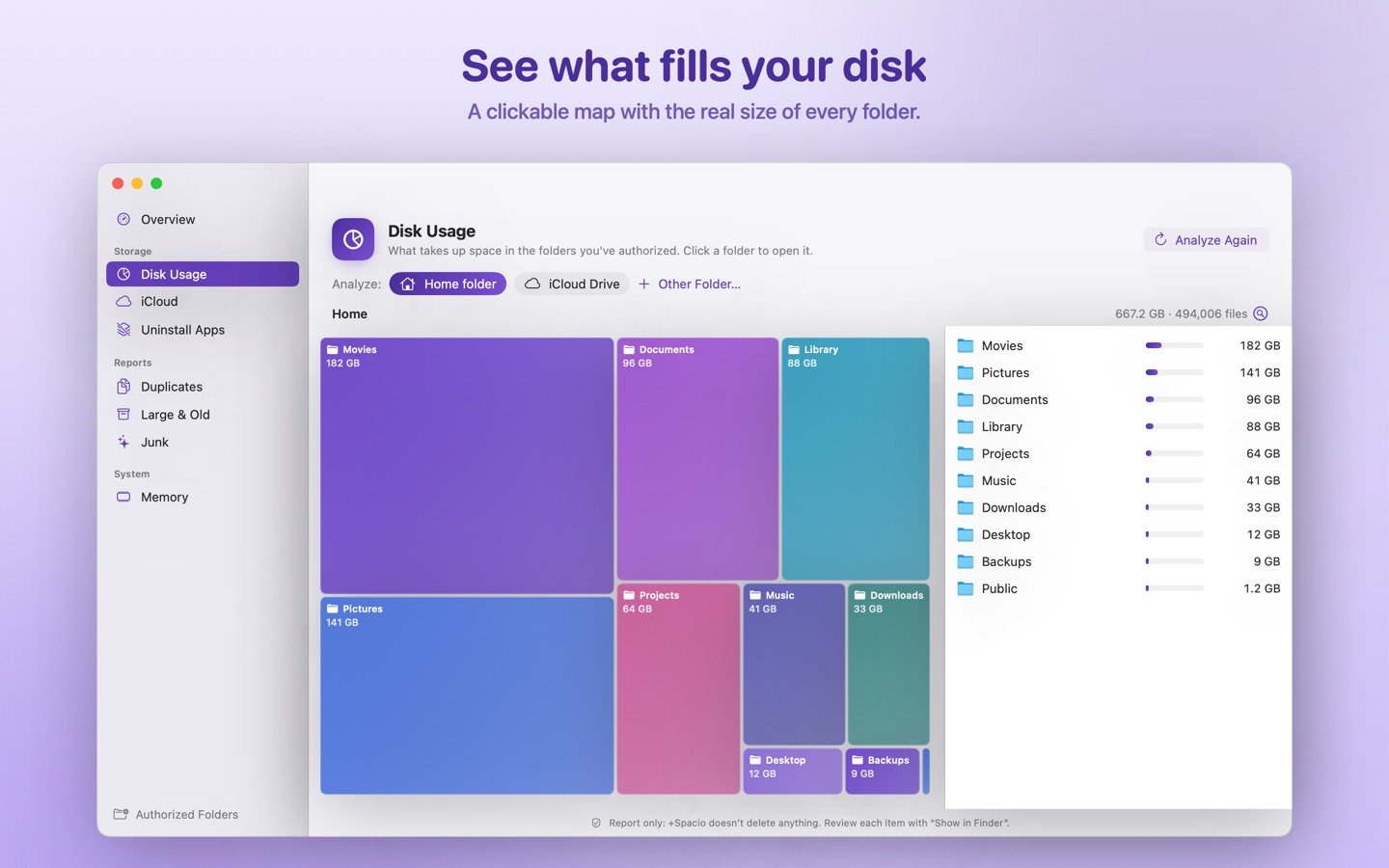
What’s filling your disk
- A visual map of your folders: click to dive in and see what weighs most.
- A list sorted by real size on disk.
- “Show in Finder” everywhere.
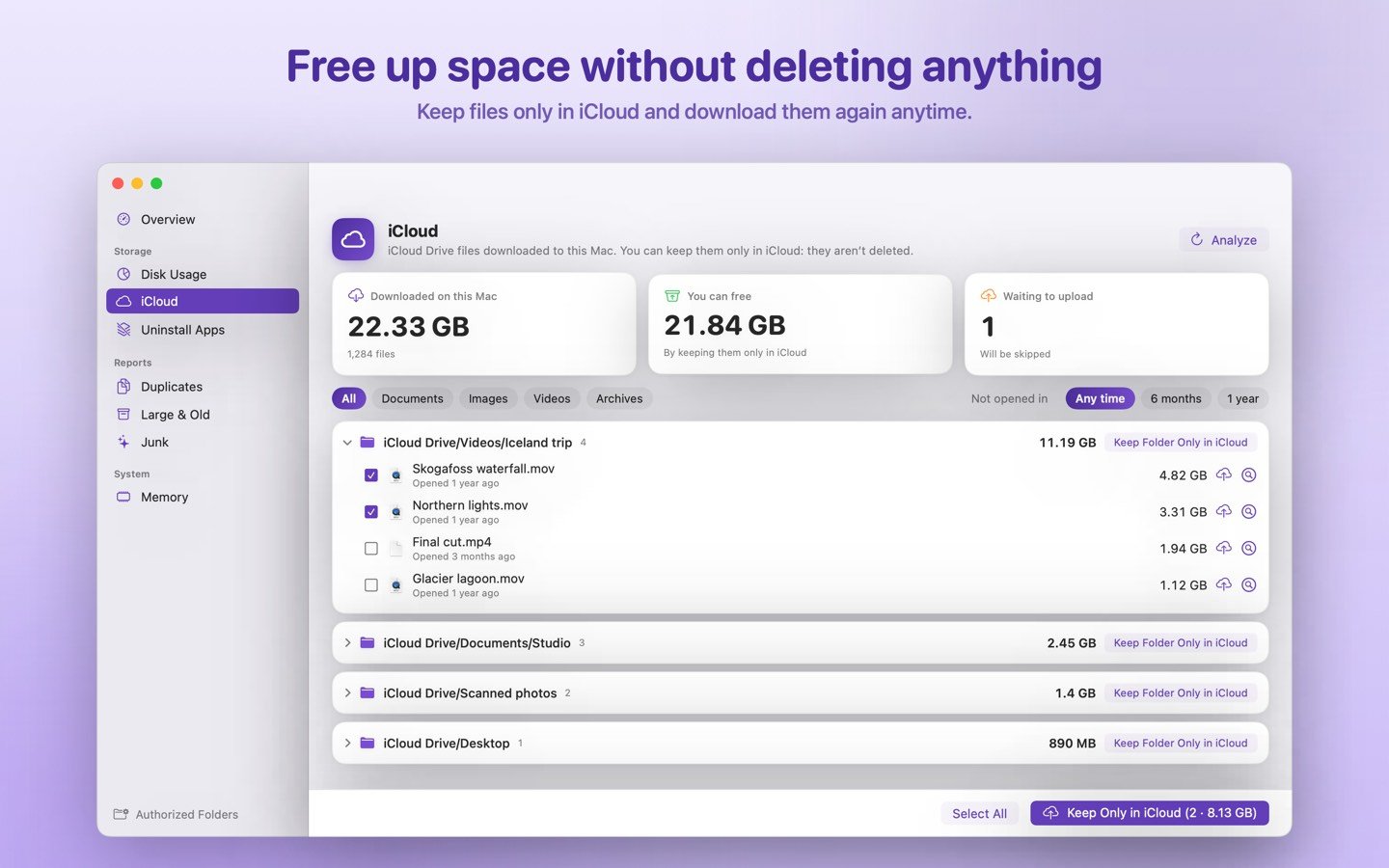
iCloud Drive: space without losing anything
- See which iCloud files are downloaded on this Mac and how much space they use.
- Keep them only in iCloud with one click, file by file or whole folders.
- Need one again? “Download Again”.
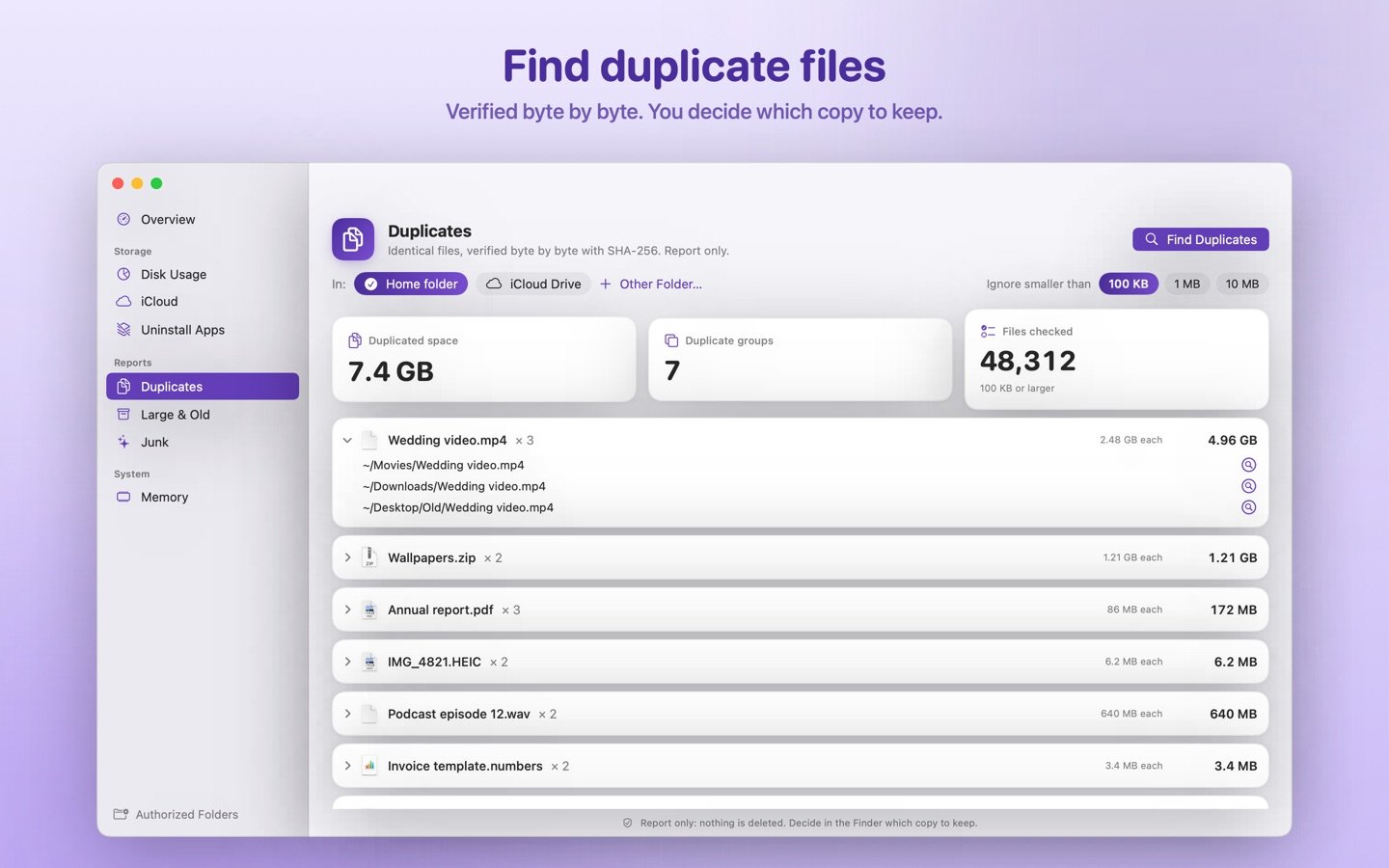
Duplicates, big and forgotten files
- Find identical files by comparing their content, not just their names.
- Spot huge files and the ones you haven’t opened in months.
- Detect forgotten installers, old downloads and caches.
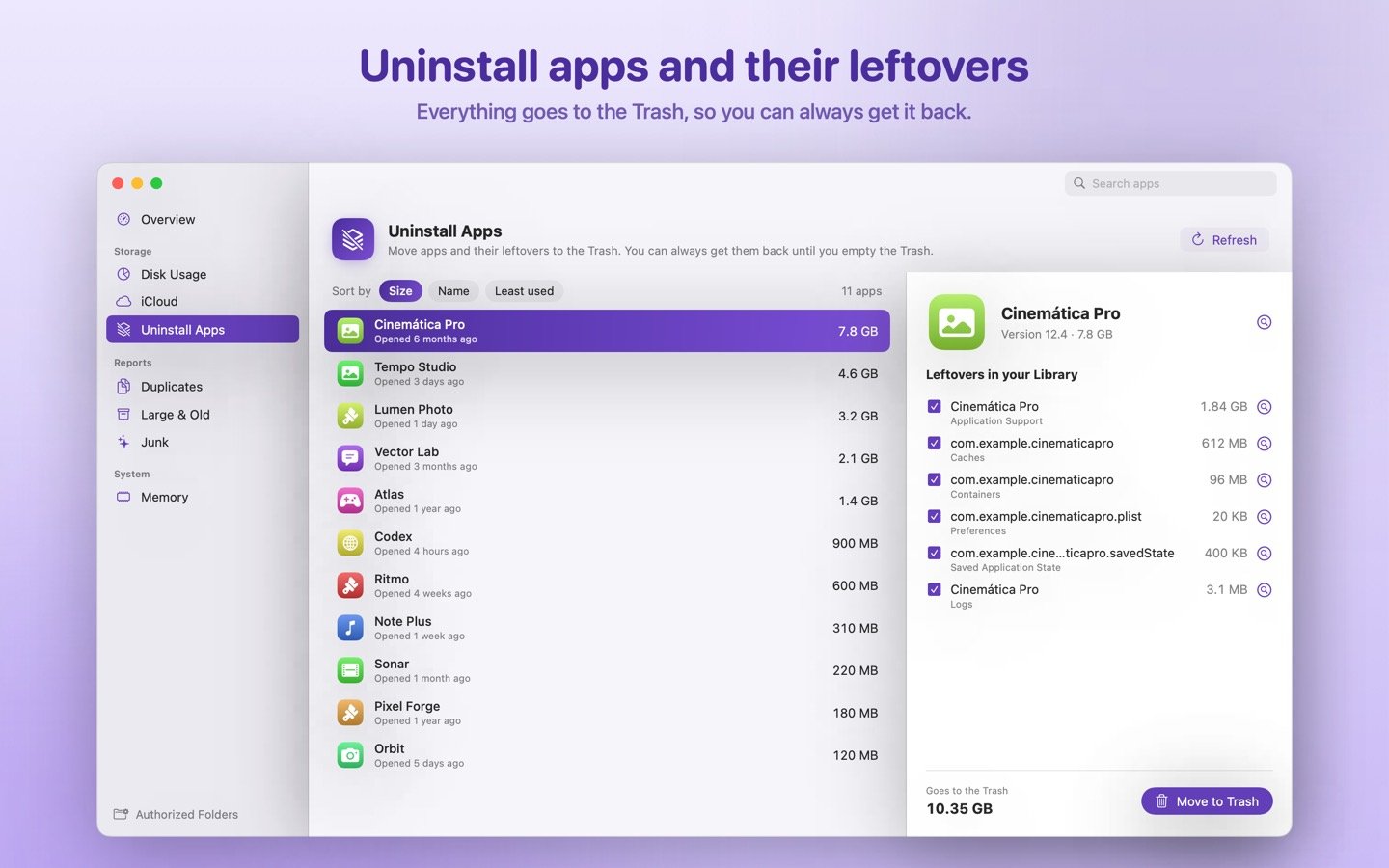
Uninstall apps completely
- See each app’s size and when you last used it.
- Find its leftovers (preferences, caches, data) and move everything to the Trash at once.
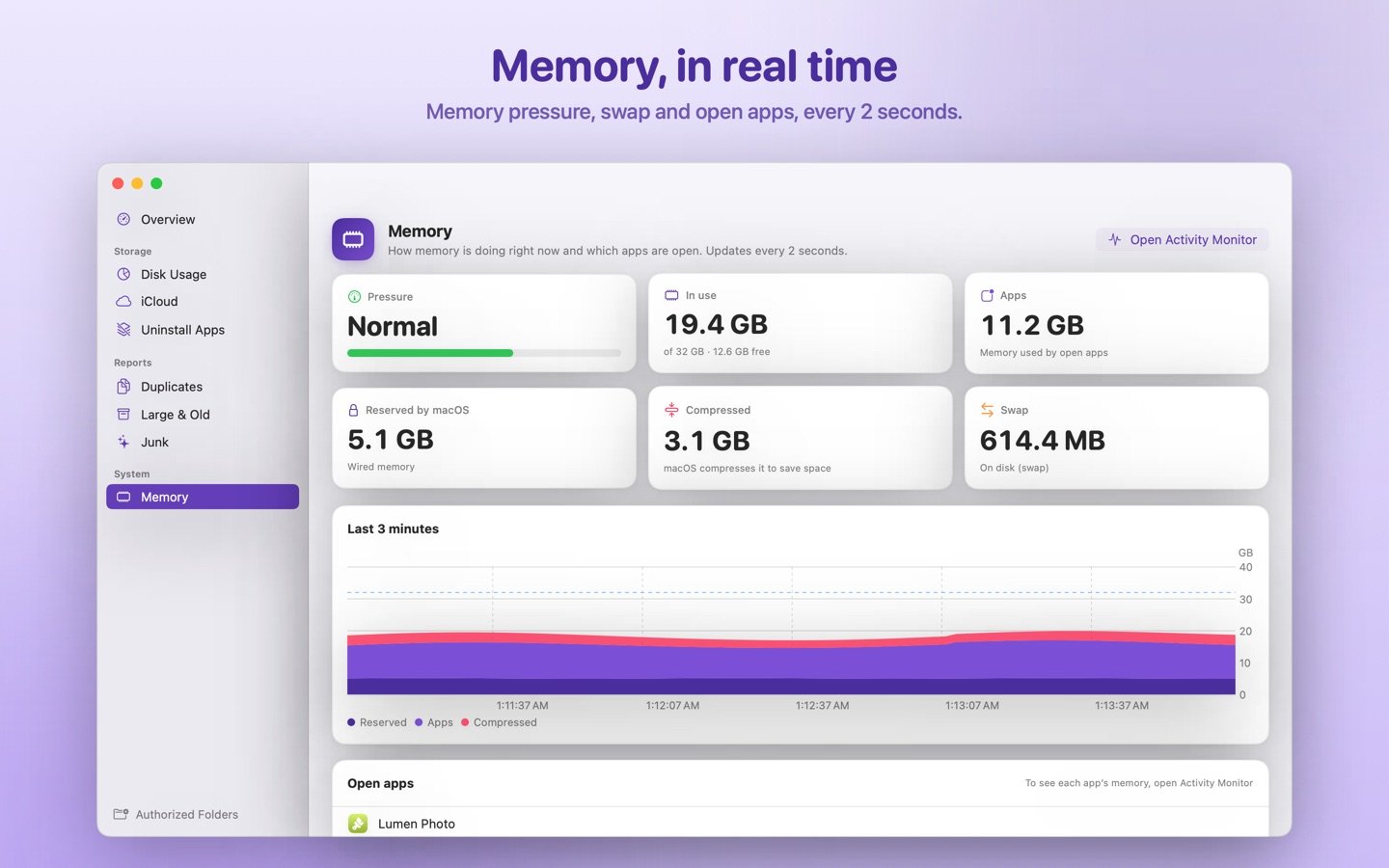
Memory
- Live memory pressure.
- Which apps are open, updated every 2 seconds.
Made with care
No fine print
Truly private
Everything is analyzed on your Mac. No accounts, no ads, no internet connection, no data collected.
You choose
+Spacio only reads the folders you pick, and you can remove access anytime.
Works with Shortcuts
Get a storage summary, memory status or downloaded iCloud files from the Shortcuts app.
One-time purchase
No subscriptions. For macOS 14 or later, on Apple silicon and Intel Macs.